
Bienville VINELink Arrest Coverage
Louisiana runs its custody lookups through LA VINE. The program watches adult inmates across parish jails and state prisons. Bienville Parish takes part through the LA VINE-hosted jail roster. That screen includes a registration control. So once an arrest lands someone in a covered custody system, the service becomes useful.
Coverage has limits, though. Someone arrested but not yet delivered to Bienville Parish Jail may not appear. A released record can drop off or look different from a current-custody row. Sentenced and moved to state corrections? That person belongs on the state custody path. Federal and immigration custody run through entirely separate systems. The Louisiana DOC inmate information page lays out its name, birth-date, or DPS&C-number search. It also offers the LA VINE route.
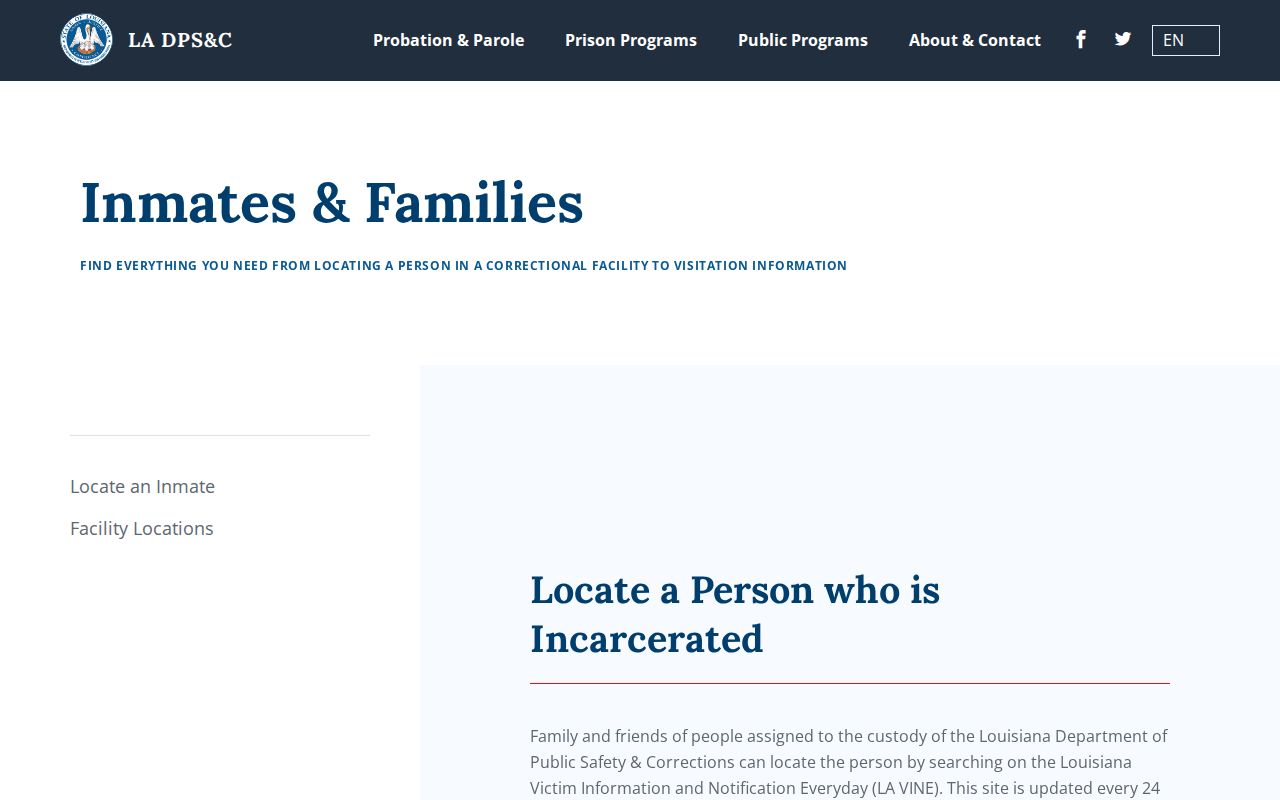
The capture distinguishes a state custody search from the live Bienville Parish jail roster.
Check a Bienville Arrest
Start with the direct Louisiana person search. Compare every identifier you can. Screen labels shift, since VINELink is an interactive application. Never pick a match on name alone when several appear.
- Open the Louisiana VINELink person search and confirm Louisiana is selected.
- Choose the person or custody search rather than another service category.
- Enter the full name or an available ID. Add other fields the live form offers.
- Review all matches and compare identity details, facility, and custody information.
- Open the matching record and note the status plus the date or time shown.
- Contact BPSO if the result is missing, ambiguous, or inconsistent with a very recent event.
VINELink follows custody; the booking record is something else. For the official entry and booking photo request, use the Bienville Parish recent arrests hub. The current Louisiana search interface displays the state and person-search controls.

The capture shows the correct state-level starting point without displaying a gallery of people.
Bienville VINELink Result Fields
Fields vary by agency and record. Whatever the live result shows is authoritative for that display. The search confirms a custody record, nothing more.
| Result item | How to use it |
|---|---|
| Name and identity details | Compare several details before selecting a match. |
| Offender or custody ID | A stronger match when the number is already known. |
| Custody status | Shows the reported state in the participating system. |
| Facility | Points to the reported jail or prison, which may change after transfer. |
| Status date or update | Shows when the displayed information was reported, not necessarily the arrest time. |
| Notification option | Starts registration for future custody changes. |
Bienville's roster lists name, birth date, race, and gender. It also shows the arrest date for each person in custody. VINELink arranges its screens a bit differently. Neither display should be padded with a guessed charge, bond, release date, or booking photo. If the name is common, rely on the ID or date of birth. That helps you pick the right arrest record. Share sensitive details only with those who need them.
Before calling, jot down the facility name. Add the custody status and the time of the check. A precise note helps staff see which public display prompted the question. It saves everyone a round of phone tag.
A status of released reports a custody event only. It says nothing about the court result or the end of any legal duties. Conditions, future court dates, or a hold from another agency may still apply. For those answers, confirm with the court, BPSO, or the agency named in the record.
Register Bienville Custody Alerts
LCLE describes ordinary VINE registration as free and anonymous. Confirm delivery methods on the live panel. Phone or email signup may rely on a PIN to verify or stop a notification cycle. Keep that PIN private.
- Open the correct person's custody record after checking the match.
- Select the notification or registration option shown on that record.
- Choose an available phone, email, or other channel offered by the live service.
- Enter the contact information carefully and create or record a PIN if prompted.
- Complete any confirmation step and keep the registration details in a secure place.
- Update or cancel the registration through VINELink when alerts are no longer needed.
Registration attaches to that one record only. It is not a general Bienville Parish arrest feed. Formal Victim Outreach registration through DOC sits apart from an ordinary LA VINE notification.
If the service offers a test step, use it. Enter a phone number or email the registrant can actually reach. Never borrow another person's contact channel without authority. Pick a PIN you can recall but others cannot guess. The live registration screen governs current choices, since delivery options and labels can change.
When an alert lands, read the event type and facility. Do not assume every notice means release into the community. A transfer may simply mean movement to another jail or prison. Timing-critical questions go to the named facility. Keep court dates and custody notices in separate records. One should never be mistaken for the other.
Verify Bienville VINELink Results
Two update rhythms are in play. LCLE says the live local roster refreshes every 30 minutes from the jail system. Louisiana DOC puts its state LA VINE search on a 24-hour cycle. Keep the claims separate. Neither promises when a new booking first appears.
For a fresh local arrest, weigh the 24 Hour Arrests process and call BPSO at (318) 263-2215 to ask whether booking is finished and where the person sits. State-prison questions go to DOC. Federal prisoners belong on the Bureau of Prisons locator, ICE custody has its own detainee locator, and a court disposition comes only from the Clerk or court.
Confirming a Bienville Parish arrest through VINELink works best when you cross-check the result against the jail's own roster or a call to the sheriff's office. Custody status can change quickly, so verify before acting on any listing.
Bienville Alerts Across Transfers
VINE does its real work after the first match. A person held at Bienville Parish Jail can move. The next stop may be another parish jail or state prison. A transfer or release alert tells the registrant right away, so nobody has to keep scanning a booking roster for changes. Treat the alert as a prompt. It is not a court record or a release order.
A transfer also shifts which office holds the facts. For a local arrest, the Bienville Parish Sheriff's Office comes first. After a move to state prison, Louisiana DOC takes over. Federal cases fall to the Bureau of Prisons. ICE runs its own detainee search. A clean VINELink result in Louisiana does not rule out custody in one of those other systems.
When a notice lands, match the name and facility against the record first chosen. Write down the alert time. Then check the live service again. A transfer alert shows movement but not why, not the destination's timing, not bond status, and not the next hearing. Those answers come from BPSO, DOC, or the court handling the case. If the record has vanished from view, save the alert details and ask the responsible office to confirm where the person is now in custody. That follow-up matters. The parish roster, the DOC view, and the court file each cover a different slice of the same case.
No BPSO jail app exists. There is no official social booking feed either. General sheriff announcements are not custody alerts. The VINE registration tied to the local roster remains the one documented digital path for a named person's status.
Alerts can fail. Numbers change. Calls get blocked. Messages sit unseen. So never build a safety plan on an alert alone. Recheck the custody record, guard the PIN, and call the agency when confirmation is urgent. Registration promises no release time and explains no court conditions. When digital records conflict, the BPSO contact page is the fallback.
The capture provides the official agency contact used to confirm a custody result.